ZeniClock app icon Available on iOS

Time, Everywhere.

ZeniClock lets you track time across cities worldwide with an interactive map, customizable pages, and beautiful home screen widgets — so you always know what time it is, anywhere.

Download on the App Store

Free to download — Premium upgrade available

What You Get

Your World, One Glance at a Time

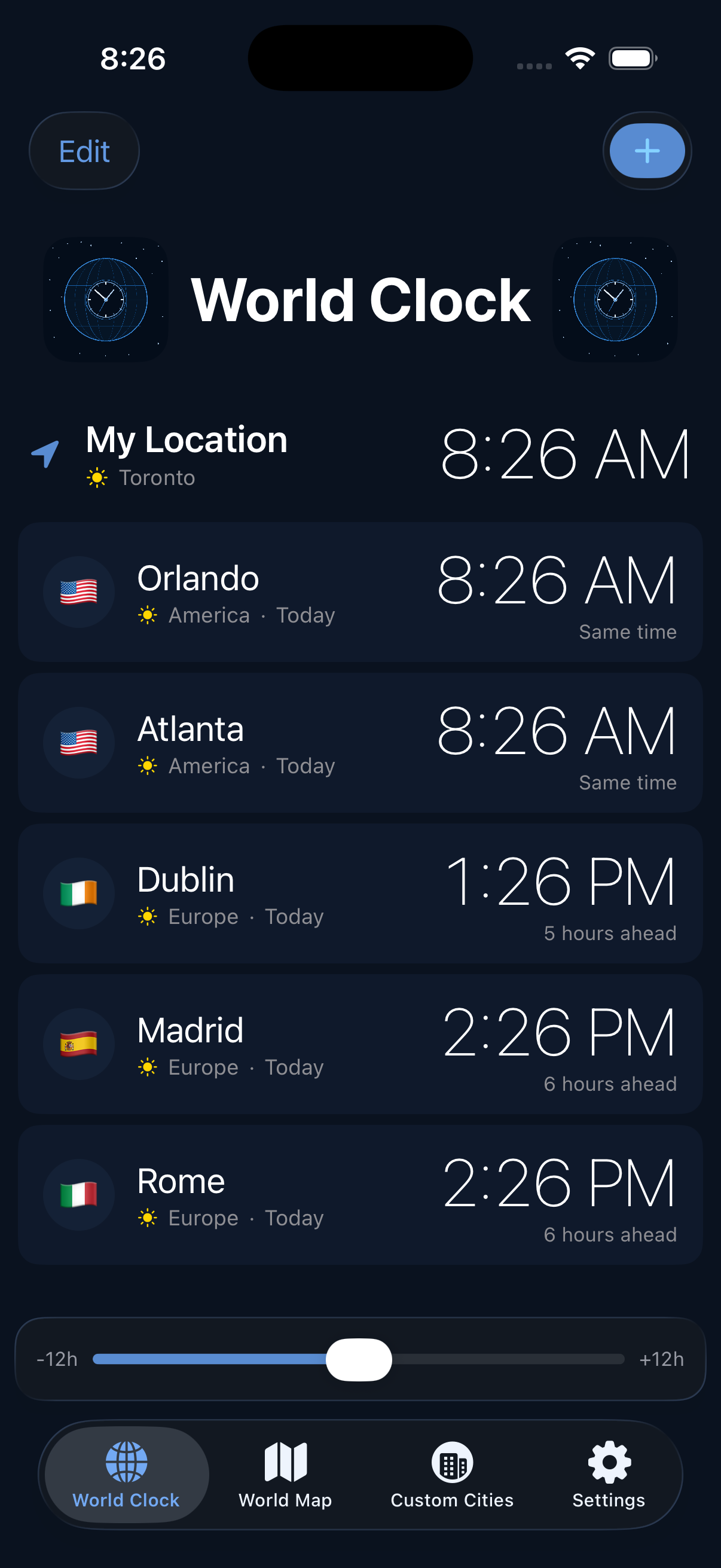
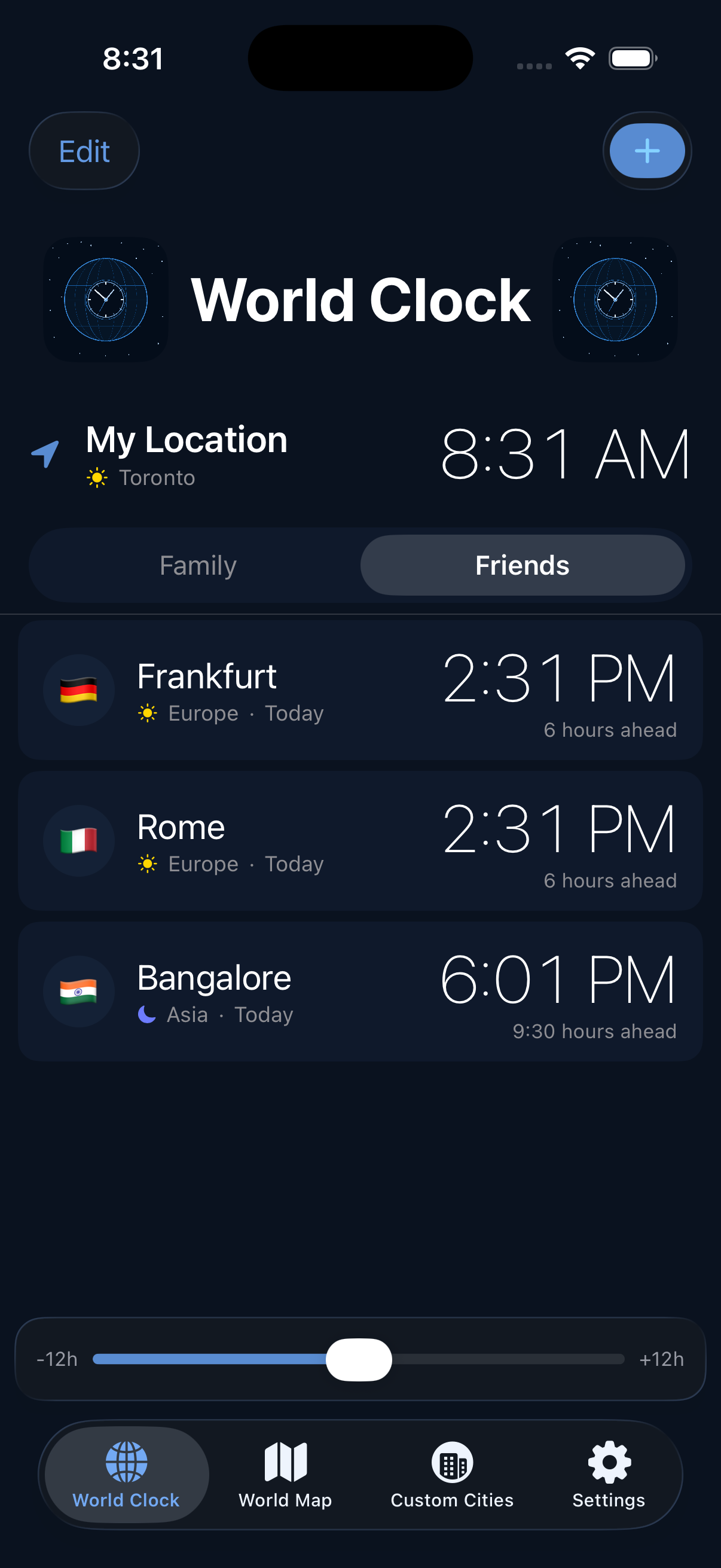
Main world clock list with multiple cities World clock with pages for organizing clocks

World Clock at a Glance

See the current time in every city you care about, all on one screen. Organize your clocks into named pages for work, family, or travel.

  • Track multiple cities with country flags, day/night indicators, and time differences
  • Organize clocks into up to 4 named pages — Family, Friends, Work, Travel
  • Use the time slider to preview what time it will be hours from now
  • Sort by timezone, date added, or drag to reorder manually
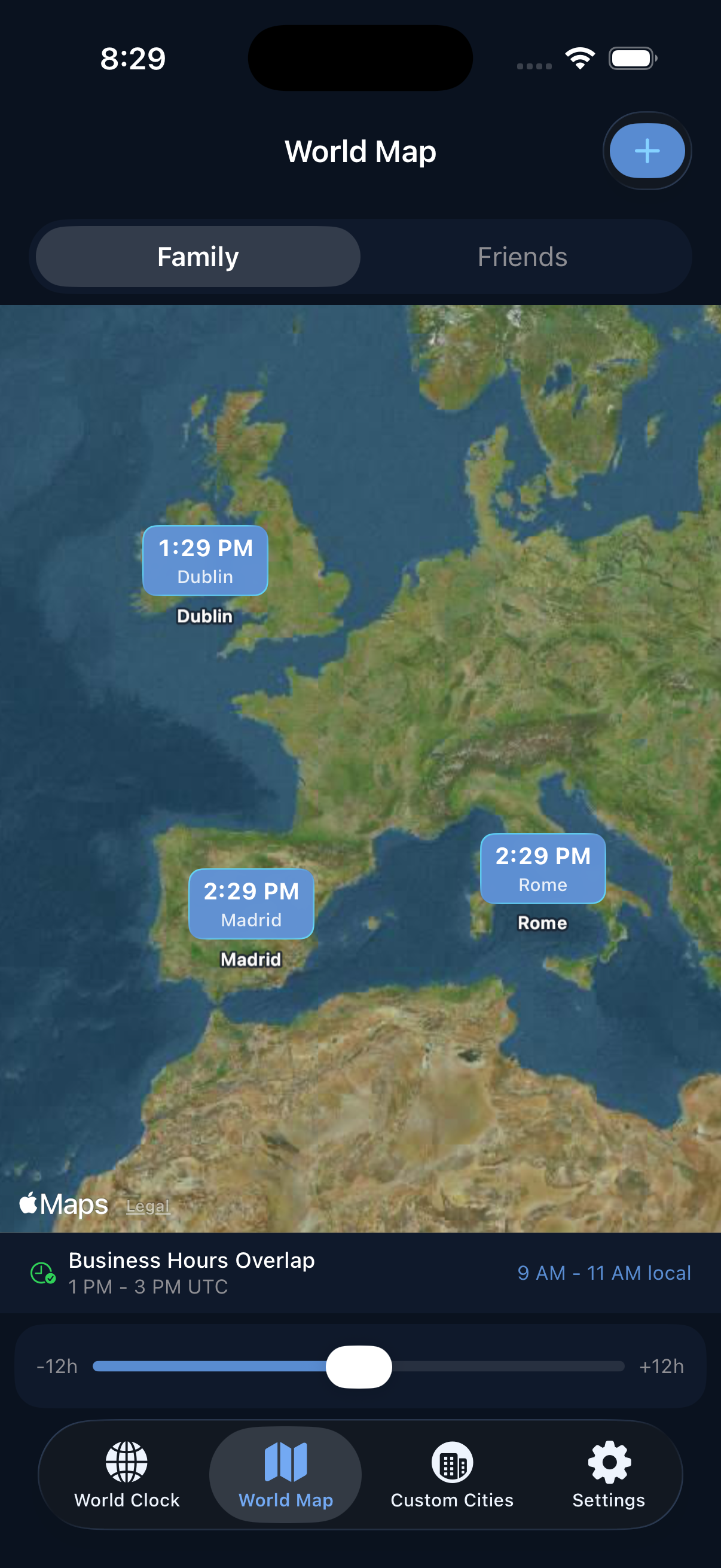
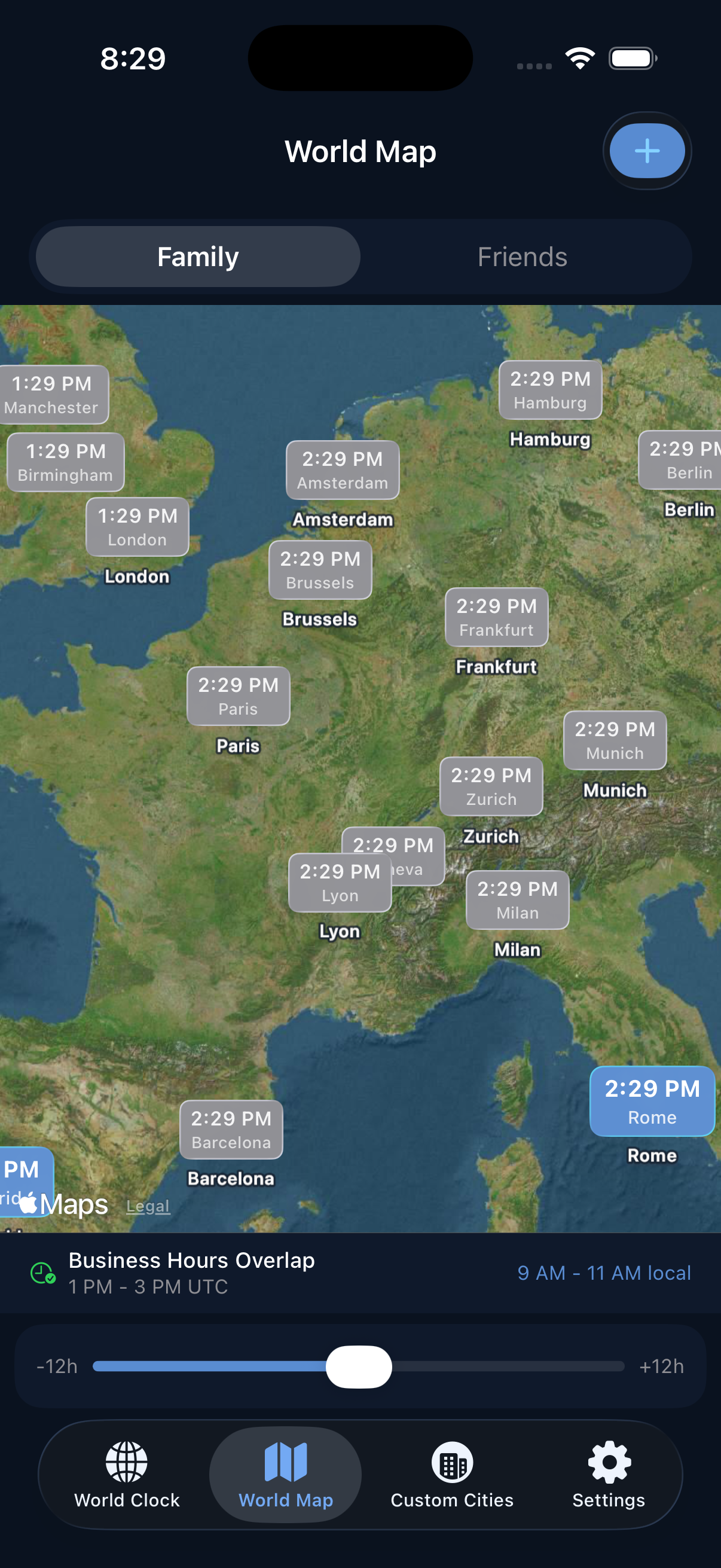
Interactive world map showing city pins with times World map zoomed in showing many European cities

Interactive World Map

Visualize all your tracked cities on a live map powered by Apple Maps. See time zones come alive with pins showing the current local time.

  • View all your clocks as annotated pins on an interactive world map
  • See your current location alongside your tracked cities
  • Filter the map by page to focus on specific groups
  • Check business hours overlap at a glance with the overlap indicator
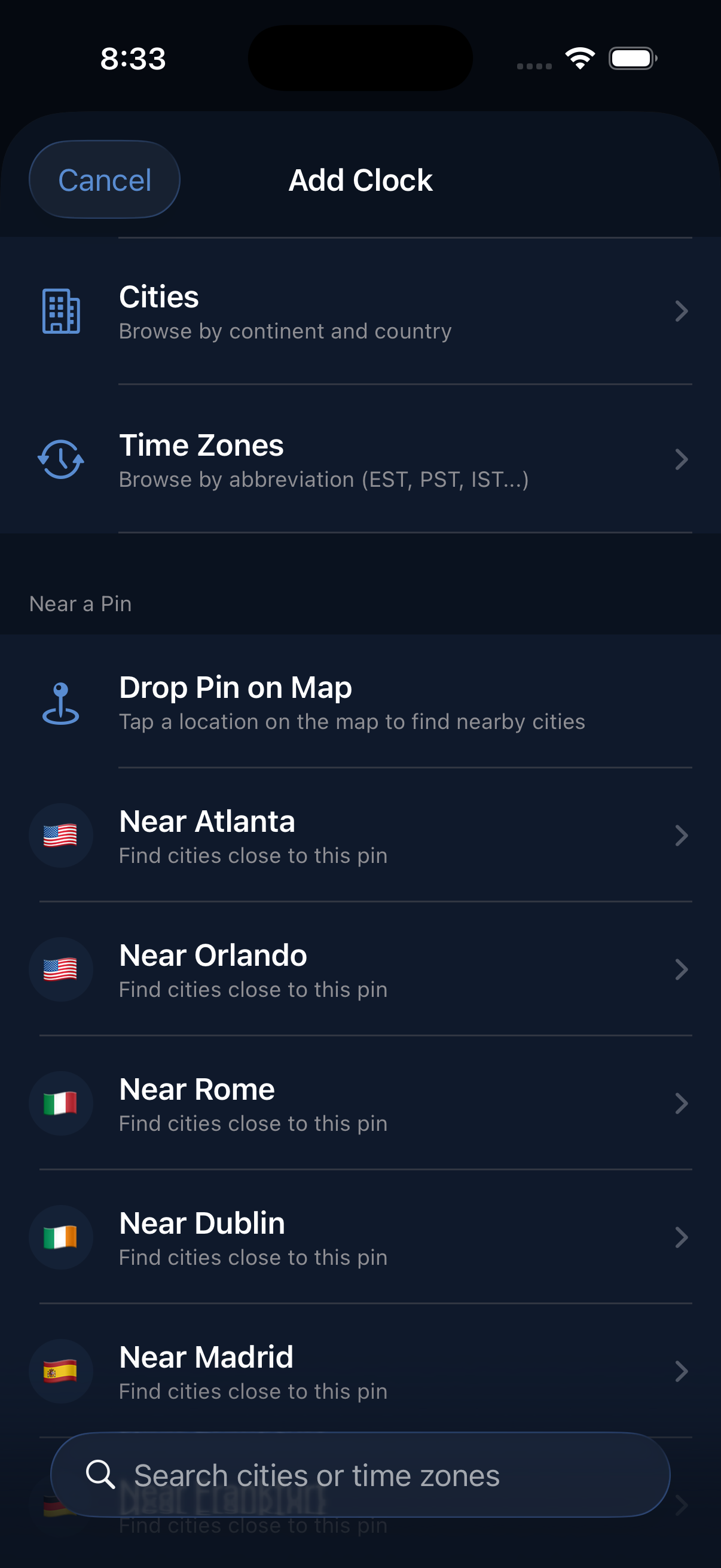
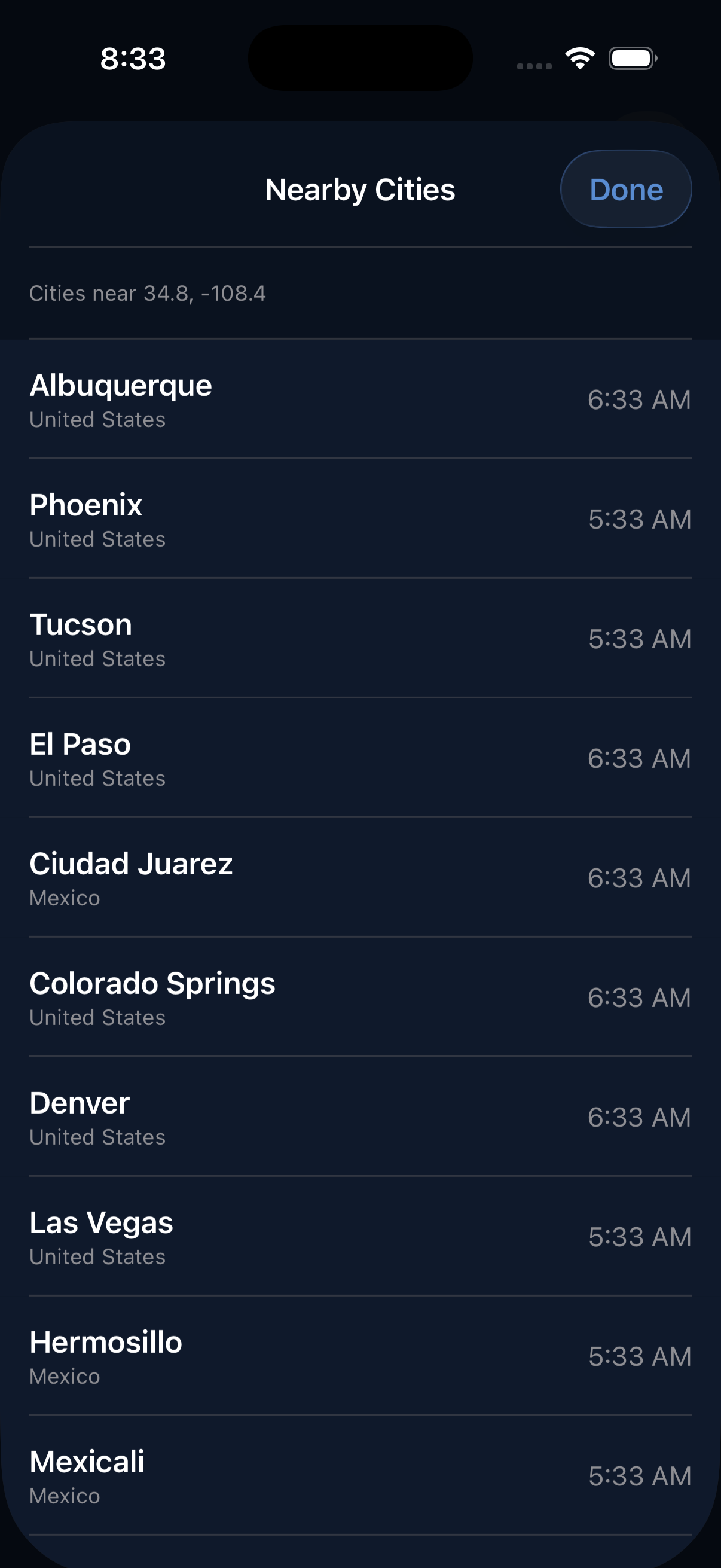
Add clock screen with browse, search, and drop pin options Nearby cities discovered after dropping a pin

Find Any City, Any Way

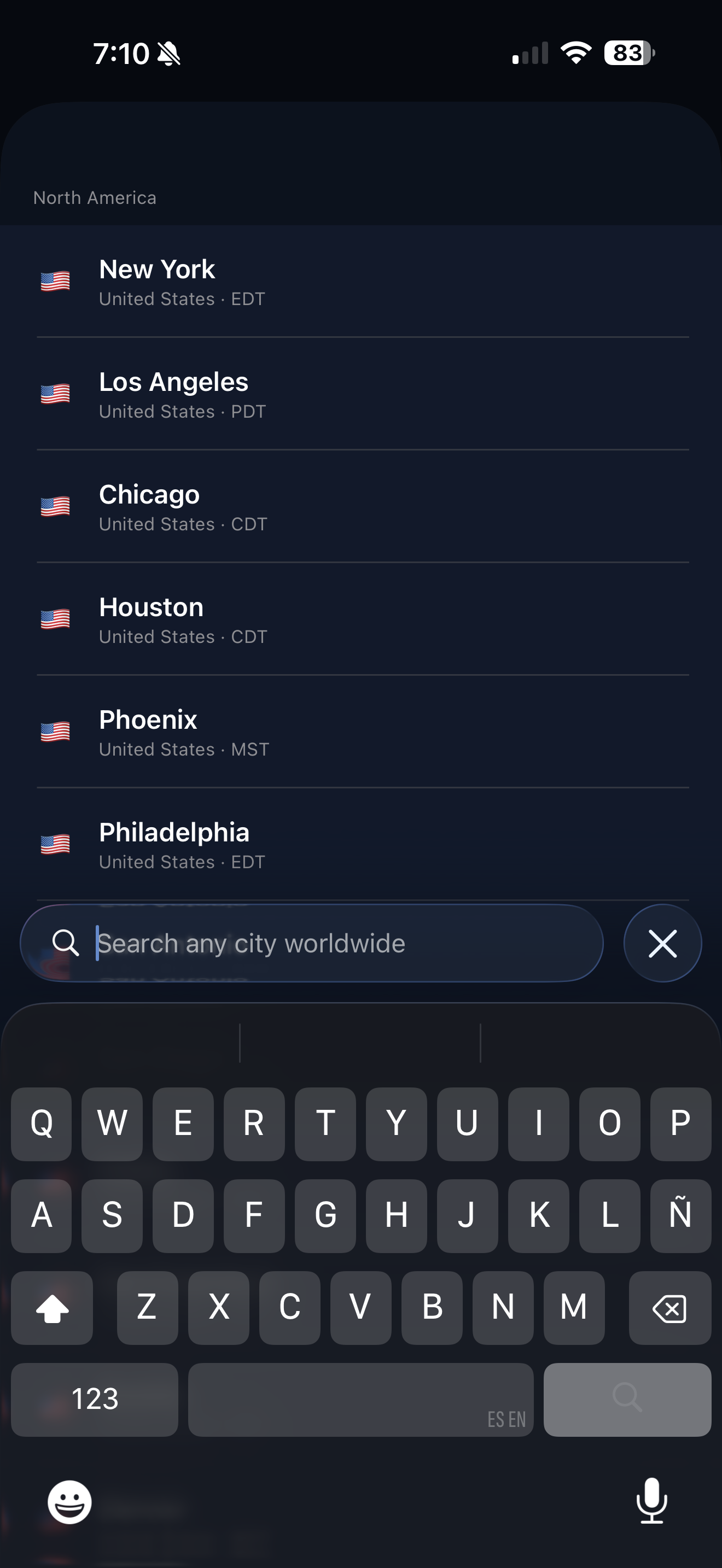
Add clocks by browsing a database of 1,000+ cities, searching by name or timezone, or dropping a pin on the map to discover nearby locations.

  • Browse cities by continent and country or search by timezone abbreviation
  • Drop a pin anywhere on the map and discover nearby cities automatically
  • "Near" shortcuts let you find cities close to ones you already track
  • Full search with instant results as you type
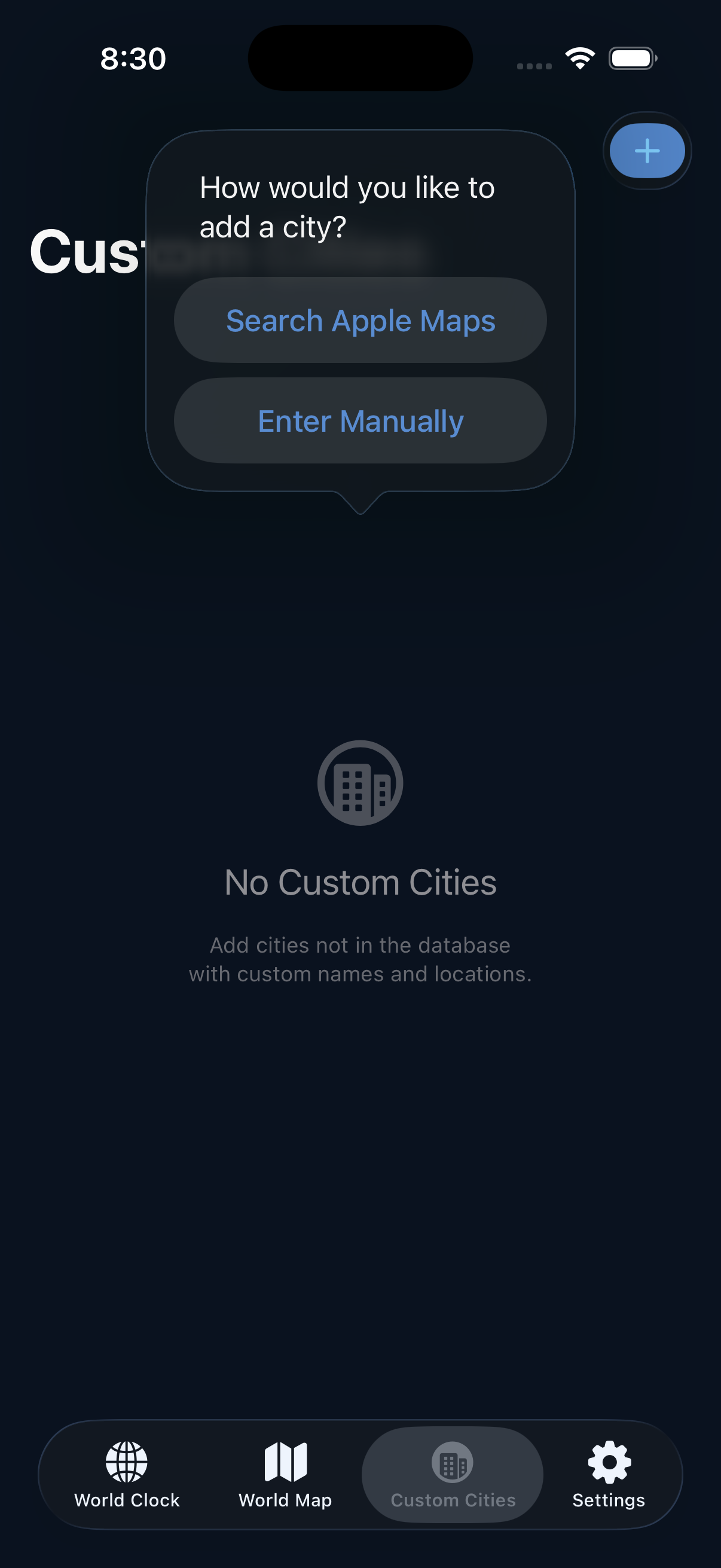
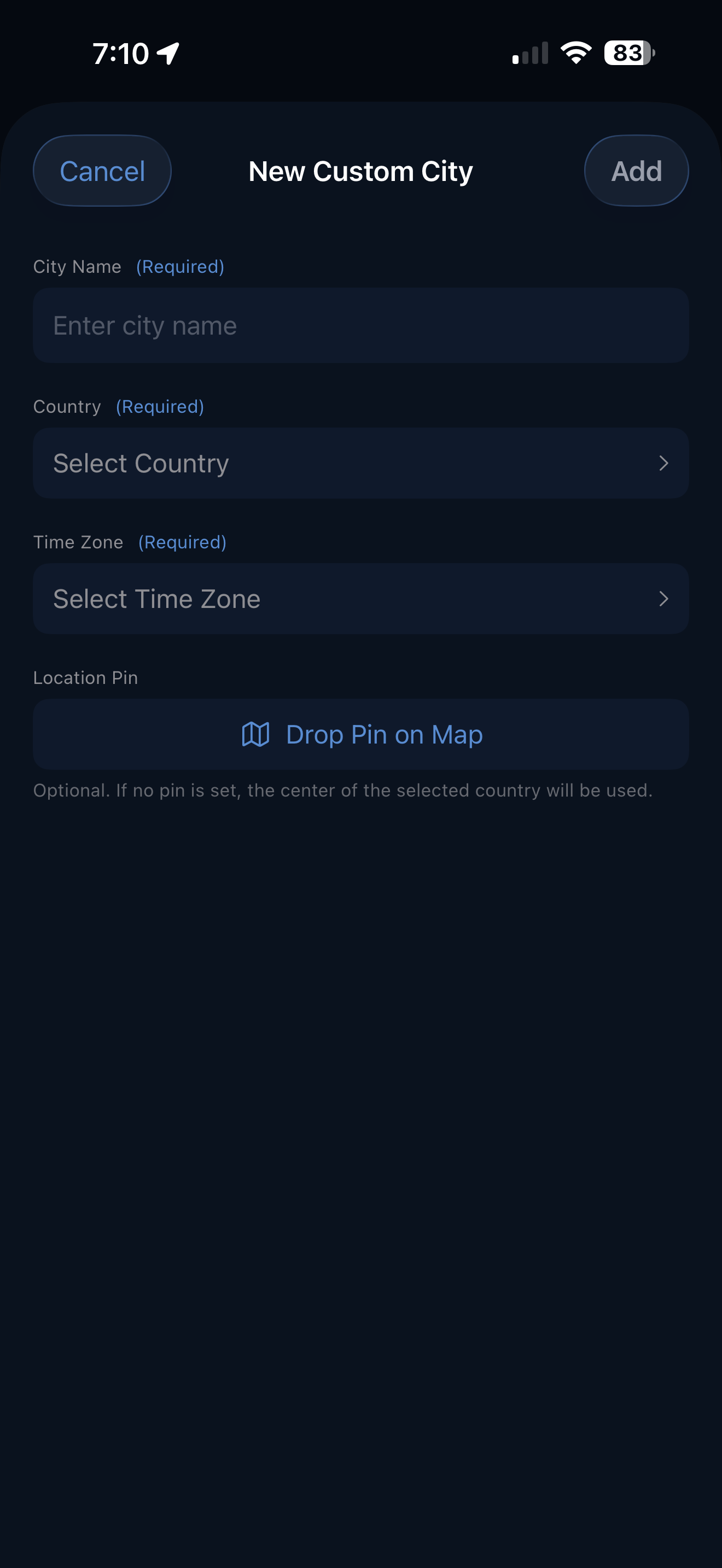
Custom cities screen with Apple Maps search and manual entry options Add custom city manually Add custom city via Apple Maps search

Custom Cities

Can't find your city in the database? Create your own with a custom name, country, timezone, and coordinates — or search Apple Maps to auto-fill everything.

  • Search Apple Maps to quickly add any location worldwide
  • Enter cities manually with full control over name, country, continent, and timezone
  • Custom cities appear alongside built-in ones in your clock list and on the map
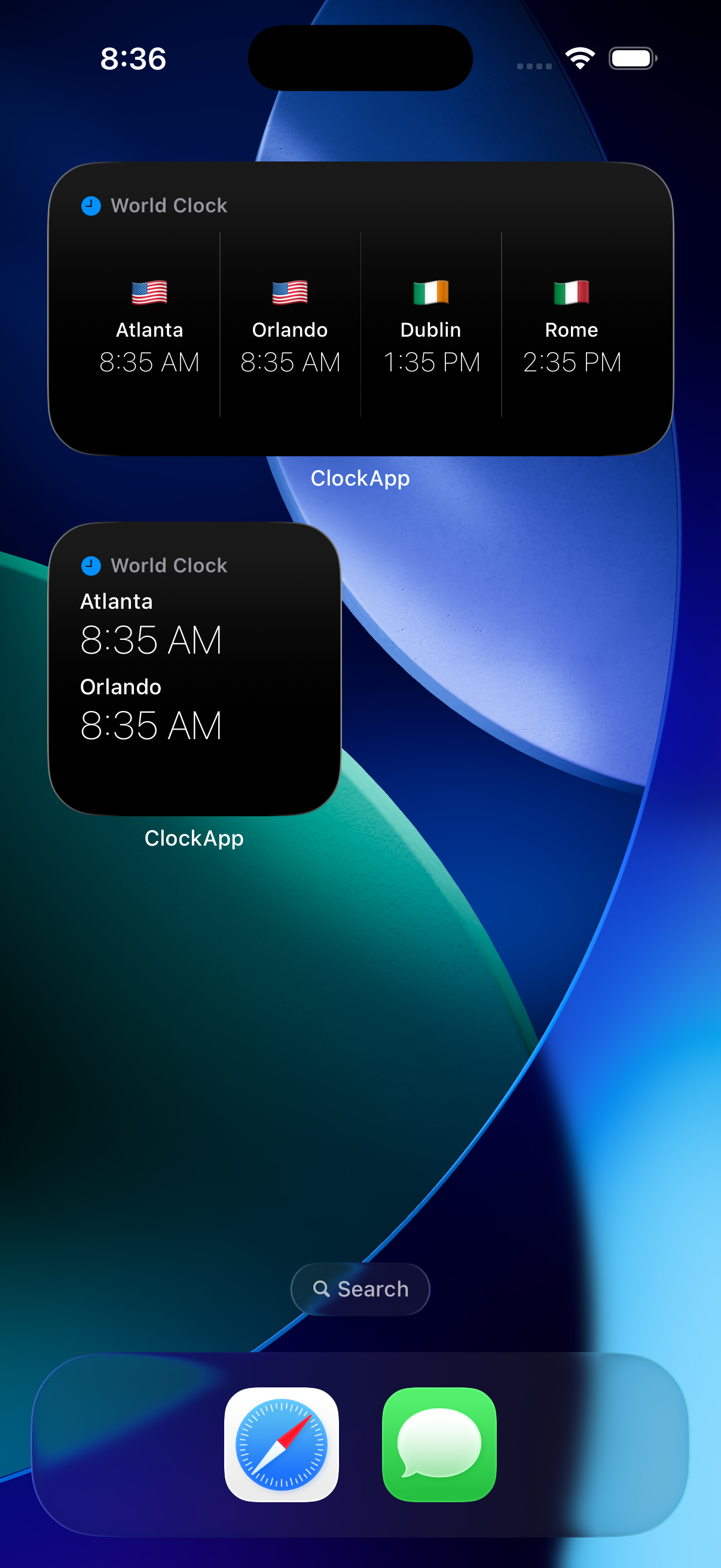
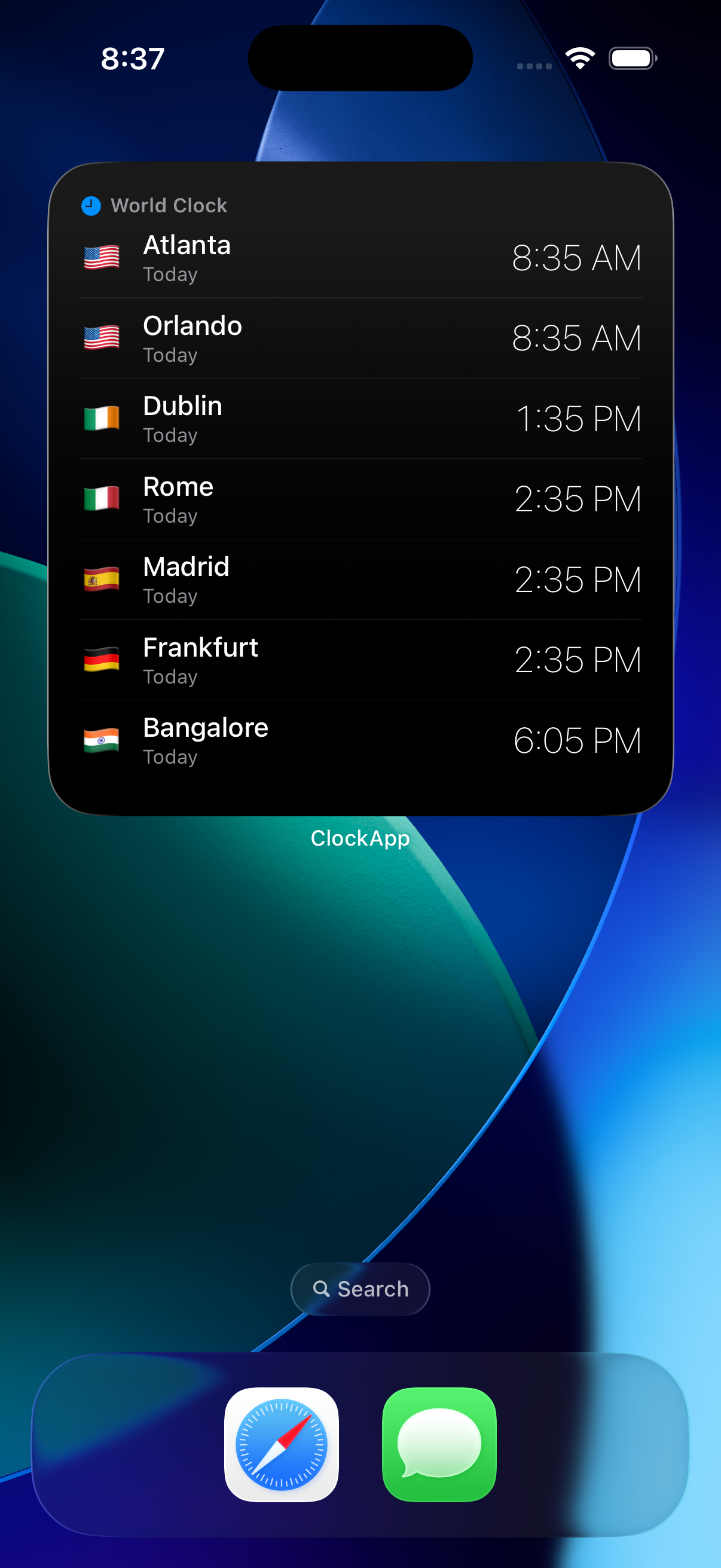
Large and medium home screen widgets showing world clocks Extra-large widget showing all tracked cities with flags

Home Screen Widgets

Check the time around the world without even opening the app. Beautiful widgets in every size keep your clocks just a glance away.

  • Small, medium, large, and extra-large widget sizes for your home screen
  • Widgets display city flags, current time, and day indicators
  • Configure widgets to show clocks from a specific page
  • Respects your display preferences — 24-hour format, seconds, and sort order

Getting Started

Up and Running in Seconds

1

Add Your Cities

Browse the built-in database of 1,000+ cities, search by name or timezone, or drop a pin on the map. Tap to add a city and it appears in your clock list instantly.

2

Organize with Pages

Group clocks into named pages like Family, Friends, or Work. Switch between pages on the main screen or filter the map to see just the cities you need.

3

Explore the Map

Open the World Map tab to see every tracked city as a pin with its local time. Zoom in, browse, and discover new locations by dropping pins.

4

Add Widgets

Long-press your home screen to add ZeniClock widgets in small, medium, large, or extra-large sizes. Pick a page and your clocks are always one glance away.

At a Glance

Built for the Way You Use Time

🌐

1,000+ Cities

A comprehensive database covering every timezone worldwide, with country flags and continent grouping.

🌃

Day & Night

Sun and moon indicators show you instantly whether it's daytime or nighttime in each city.

Time Slider

Drag the slider to preview times up to 12 hours ahead or behind — perfect for scheduling across zones.

📍

Drop a Pin

Tap anywhere on the map and discover the nearest cities and their timezones automatically.

📱

Widget Gallery

Four widget sizes fit any home screen layout, from a compact single-city view to a full list.

🛠

Fully Customizable

24-hour format, seconds display, sort order, row density, and named pages — make it yours.

Plans

Start Free, Unlock Everything

Free
$0
Forever free
  • Up to 2 world clocks
  • Browse 1,000+ built-in cities
  • Interactive world map
  • Day & night indicators
  • Time slider preview
  • 24-hour format & seconds display
  • Sort by timezone or date added
  • Basic home screen widgets
  • Unlimited world clocks
  • Custom cities
  • Named pages (up to 4)
  • Row size adjustment
  • Custom sort (drag to reorder)
  • Configurable widgets with pages

Legal

Privacy Policy

Effective date: April 13, 2026

Overview

ZeniClock ("the App") is an iOS application developed and operated as an independent product. Your privacy is important to us. This policy explains what information we collect, how we use it, and your rights regarding that information.

Information We Collect

The App operates primarily on-device. We collect only the minimum information needed to deliver its features:

Information We Do Not Collect

Location Access

The App may request "When In Use" location access so it can display your current position on the world map. This access is entirely optional — the App works fully without it. Your location data stays on your device and is never sent to any external service.

In-App Purchases & Subscriptions

Premium subscriptions and one-time purchases are managed entirely by Apple via StoreKit. All billing, payment processing, and subscription management happen through your Apple ID. We do not store or process payment information of any kind. You can manage or cancel your subscription at any time through your device's Settings → Apple ID → Subscriptions.

Data Storage & Security

All App data is stored locally on your device using Apple's SwiftData framework and is subject to iOS system-level encryption. Widget data is shared between the App and its widget extension via a secure App Group container. If you use iCloud Backup, your App data may be included in your iCloud backup; that data is governed by Apple's Privacy Policy.

Children's Privacy

The App does not knowingly collect personal information from children under the age of 13. It is not directed to children.

Changes to This Policy

We may update this Privacy Policy from time to time. If we make significant changes, we will update the effective date at the top of this page. Continued use of the App after changes are posted constitutes acceptance of the updated policy.

Contact

If you have any questions or concerns about this Privacy Policy or your data, please contact us through the App Store listing or by reaching out via the contact information provided there.
Get Help

Support

Need Help?

Having trouble with ZeniClock, found a bug, or have a feature request? We'd love to hear from you. Send us an email and we'll get back to you as soon as possible.

juangarciasupport@gmail.com

From the Same Developer

More Apps by Juan Garcia

Explore All Apps

Check out my other iOS apps including Espresso FlowCon, a precision espresso dial-in assistant for coffee enthusiasts and baristas.

View All Apps →

Legal

Terms & Conditions

ZeniClock is distributed through the Apple App Store and is subject to Apple's standard terms and conditions. By downloading or using this app, you agree to the following:

If you have any questions about the terms that apply to ZeniClock, please contact us at juangarciasupport@gmail.com.